Home & Garden
Fishbowl gives Furniture & Home Décor businesses the tools to stay stocked—where inventory holds serious value.
Maximize ROI by managing assets across locations, scanning barcodes in real time, and syncing sales with inventory automatically—just a few of the ways Fishbowl boosts efficiency and accuracy.
Fishbowl Checkout
Checkout Integrates Seamlessly With Fishbowl
Fishbowl offers a powerful point of sale (POS) solution called Checkout. This is the first POS software that is specifically designed to integrate with Fishbowl Warehouse and Fishbowl Manufacturing. Having a combined POS and inventory management software is great for small businesses that want to be more efficient and keep data accurate.
In addition to its integration with Fishbowl, Checkout has three other main benefits for businesses.
Case Study
“Fishbowl is a great system which we rely on to run our businesses daily. It provides much freedom in terms of the way you use it to operate while providing complete freedom regarding reporting so you can always know what’s going on within your business”
Alex Pallot, It Manager
Everten Group
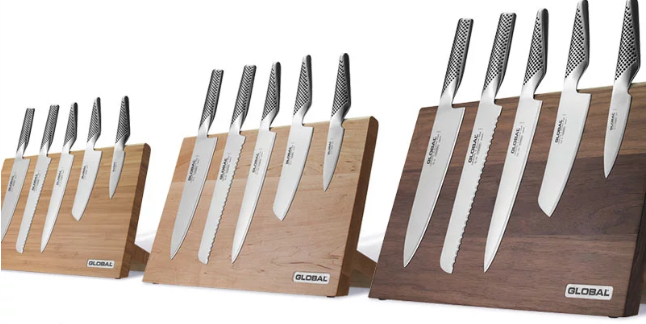
One of Australia’s pioneering kitchenware e‑tailers, Everten relies on Fishbowl to fulfill orders across the country and around the globe—no stockouts, no delays.
Frequently Asked Questions
What other software can you use Fishbowl Checkout with?
Fishbowl Checkout works with Fishbowl Manufacturing and Fishbowl Warehouse to provide the best point of sales solution for your business. It also integrates with accounting software such as Xero, QuickBooks Online, Netstock, TaxJar, and Reckon, which help you improve your cash flow and inventory management. Other software that can be used with fishbowl checkout includes Authorize.Net, Square, Clover Connect, Salesforce, Avalara, ConverSight.ai, and e-commerce platforms like Amazon, Stripe, Walmart, WooCommerce, Magento, Shopify, Big commerce, eBay, Kinein, X-cart, Zen Cart and more. These multiple integrations allow for a seamless sales process, accurate inventory data, and secure transactions.
How does Fishbowl protect my privacy?
Any personal information you share with Fishbowl will only be used to customise and improve your experience with the software. Fishbowl will not sell or give out your personal information to third parties without your permission unless compelled by law or government authority. Fishbowl is committed to keeping your trust and confidence, and protecting your privacy. To do this, appropriate procedures have been implemented to ensure that your information is kept safe from unauthorised viewers and that your personal data is not tampered with. Your personal information will be well-guarded and used appropriately, solely for your benefit.
What methods of payment can customers use with FIshbowl Checkout?
Fishbowl Checkout software allows your customers to pay with cash, check, e-check, gift card, credit card, debit card, and even wallets that store credit card details, so they don’t have to be re-entered every time a payment needs to be made. Fishbowl also has a built-in payment gateway, Authorize.Net, that lets you accept payment from major credit cards including Visa, MasterCard, and Discover. For faster payment processing and more payment options, Fishbowl Checkout can be integrated with Authorize.Net emulators such as WorldPay and other secure payment gateways like Square and Clover Connect.
Can Fishbowl checkout process refunds?
Yes, Fishbowl Checkout can process refunds. This is done in the same way as a normal sale, except it is recorded in the system as a “credit return” type instead of a “sale” type. To process a refund, all you have to do is create a return sales order, ensure the items that are to be returned have been entered correctly, and change the line item type from Sale to Credit Return. The amount to be refunded to the customer will be automatically calculated and shown on the page. Your return sales order can be marked complete once you’ve received the item from the customer, recorded it in your inventory, and issued the refund.
Can I manage my inventory from the Fishbowl point of sale?
Yes, you can perform inventory and asset management from the Fishbowl POS. Fishbowl’s retail point of sale system is integrated with Fishbowl Manufacturing and Fishbowl Warehouse, making it a complete POS and inventory management solution. One of the key features of Fishbowl Checkout is Barcode Reading which lets you scan items by barcodes, product number, Universal Product Code (UPC), or Stock Keeping Unit (SKU). By doing this, you can instantly update your inventory records, make accounting adjustments, and even customise the prices of your items. You can also add new items to your inventory and manage sales orders from the Fishbowl POS.
See exact use cases for increased efficiency in a Fishbowl demo.